
Telematics apps promise discounts. City traffic makes those discounts harder to earn. The apps measure your driving behavior, not your intentions — and a downtown commute is a physics experiment in hard stops, close quarters, and distracted pedestrians who don’t move when the light changes. Knowing which behaviors the app actually scores — and which it ignores — is worth understanding before you opt in.
What Telematics Actually Measures
Most major telematics programs track some combination of: hard braking events, rapid acceleration, high-speed driving, time-of-day patterns, and phone handling. The exact weights vary by carrier and program — Snapshot (Progressive), DriveWise (Allstate), and TrueMotion-based programs all use somewhat different thresholds and scoring formulas.
Hard braking is typically defined as a deceleration event exceeding 8–10 mph per second. That sounds like a lot until you picture a cab cutting across two lanes at a crosswalk. Rapid acceleration thresholds are similar — usually 8–9 mph per second gain — and matter mostly for people who drive aggressively between lights. High-speed flags generally kick in above 80 mph, which makes them largely irrelevant for urban driving but relevant on highway stretches.
Time of day is a factor that often surprises people. Many programs assign higher risk scores to driving between 11 p.m. and 4 a.m., regardless of how smoothly you drive during those hours. If you’re a late-shift worker or regularly drive home after midnight, the telematics program may penalize that pattern systematically.
City Driving’s Worst-Scoring Behaviors
Urban environments generate hard-braking events at a rate that suburban driving simply doesn’t. A midday drive through a dense commercial district — buses stopping unpredictably, delivery trucks double-parked, cyclists merging from the door zone — forces more reactive braking than an hour on an open highway. The app doesn’t know you braked to avoid a pedestrian. It sees a 10 mph/second deceleration and logs it.
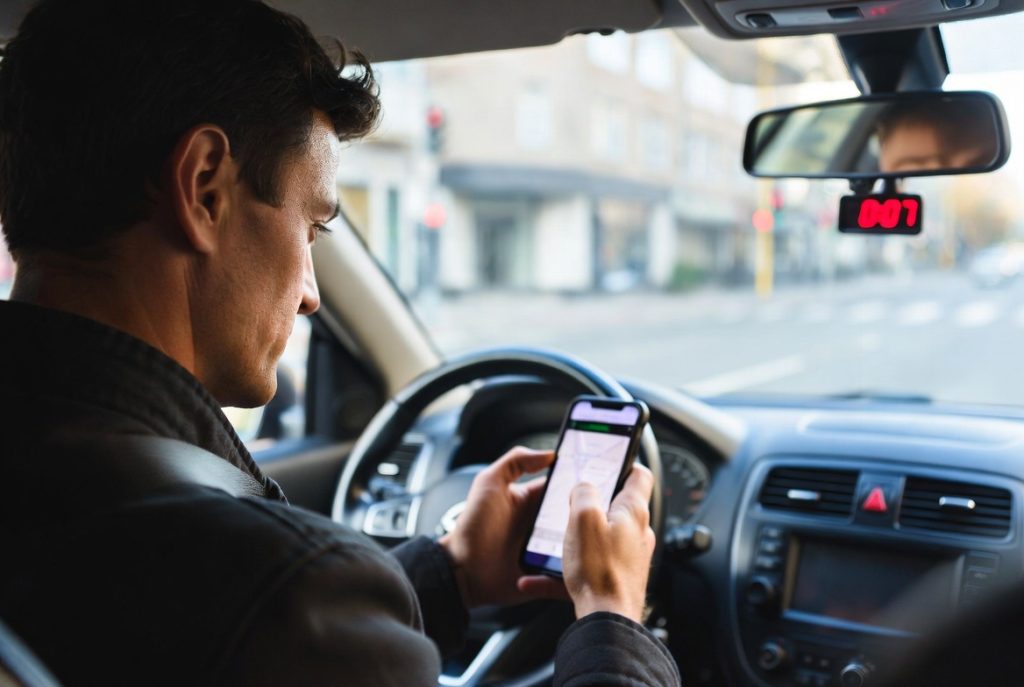
Phone handling detection has gotten more sophisticated. Most modern programs use a combination of accelerometer data and Bluetooth/motion patterns to infer phone use. Hands-free calling via Bluetooth is generally not penalized. Physical phone handling — tapping a navigation app at a red light, picking up the phone to check a notification — often is. In a city where navigation decisions happen constantly, this is a real exposure.
The late-night penalty hits gig workers, service industry workers, and anyone with a non-standard schedule harder than the apps’ marketing suggests. A nurse driving home at 2 a.m. after a hospital shift is a meaningfully lower risk than a 24-year-old leaving a bar, but many programs don’t distinguish.
How to Drive for Both Safety and Score
Increase following distance more than you normally would. More space ahead means more time before a braking event becomes a hard-braking event. In stop-and-go traffic, this is the single highest-leverage adjustment most urban drivers can make to their telematics score.
Mount your phone before you start the car. Navigation apps running from a mounted phone, connected via Bluetooth, are generally interpreted as hands-free. Picking up the phone after you’ve started driving — even briefly — can register as a handling event on apps with accelerometer-based detection.
Plan high-mileage days around your scoring window if possible. Some programs have introductory scoring periods (first 90 days, first 1,000 miles) that weight more heavily. Knowing when you’re being evaluated most intensively matters.
When to Opt Out
Not every telematics program lets you exit mid-term, but most allow a decision point before enrollment locks in. If you drive heavily at night, work gig shifts that generate unpredictable braking environments, or have a commute that’s genuinely unavoidable and hard-brake-heavy, the math may simply not favor participation. A 12% potential discount is not a discount if your score earns 2% and you’ve given the carrier behavioral data that informs future pricing.
Read the program terms before opting in. Some programs are discount-only (can’t raise your premium based on telematics data). Others can — and will — adjust pricing after the trial period if your score underperforms. That’s a materially different deal.
What to do this week: Log into your carrier’s app and check whether telematics enrollment is available — then read the penalty terms before turning it on. Compare coverage options that actually fit how you drive →
Last modified: February 27, 2026
About the Author: Jordan Lee